
Get Your Critical Files Back with Data Recovery Durham NC
When drives fail and servers crash, you need specialists who recover what matters most to your business.
If you are exploring options beyond this specific situation, you will find our broader Data recovery service covers additional media types, emergency response protocols, and ongoing data protection strategies designed to keep your information safe before the next failure occurs.
TL;DR: Data recovery in Durham, NC helps businesses retrieve lost files from failed hard drives, SSDs, RAID systems, and servers. Our specialists evaluate damaged media in a controlled recovery lab, identify recoverable data, and return your critical information with secure handling throughout.
Losing access to business records or customer databases can halt operations. Whether your hard drive clicks, your RAID array degrades, or your server will not boot, the right data recovery service makes the difference between permanent loss and full restoration.
Our Durham-based team works with every storage format common to small and mid-sized organizations. We focus on transparent communication, so you understand what failed and what remains recoverable before any work begins.
What Happens During Your Data Recovery Service Evaluation
Your first step is a no-obligation media assessment that tells you what went wrong and what recovery options exist. You bring or ship your failed drive, SSD, or server to our facility, where technicians log the device and perform diagnostic tests in a controlled environment.
The evaluation identifies physical damage, logical corruption, firmware faults, or electronic failures. You receive a clear report showing which files are recoverable, the recommended approach, and the expected timeline. This transparency lets you make an informed decision before authorizing retrieval work.
How Long Does Your Data Retrieval Take
Turnaround varies based on damage severity and storage complexity. Simple logical recoveries may complete in one to three business days, while server recovery involving multiple drives can extend longer. We keep you updated at every stage.
- Standard hard drive evaluation: typically 24-48 hours
- Logical recovery without physical damage: 1-3 business days
- RAID reconstruction and server recovery: timeline depends on array size
- Emergency priority handling available for critical situations
Why Your Business Needs a Local Recovery Lab in Durham

Working with a recovery lab near your office eliminates shipping risks, reduces transit time, and lets you speak directly with technicians handling your media. You avoid mailing drives to distant facilities and waiting days for initial feedback.
Our Durham location serves the Research Triangle with same-day drop-off and direct consultation. You meet the team, ask questions face-to-face, and maintain control over sensitive data without it leaving the region.
What Storage Devices Can You Bring for Recovery
We recover data from virtually every storage technology your business deploys. Our lab maintains specialized equipment and cleanroom protocols for safe handling.
- Internal and external hard drives from all major manufacturers
- Solid-state drives including NVMe and M.2 form factors
- RAID arrays: RAID 0, 1, 5, 6, 10, and nested configurations
- NAS devices and network-attached storage units
- Enterprise servers and SAN storage systems
- USB flash drives and memory cards
Why Choose RCOR
- Standard hard drive evaluation: typically 24-48 hours
- Logical recovery without physical damage: 1-3 business days
- RAID reconstruction and server recovery: timeline depends on array size
- Emergency priority handling available for critical situations
- Internal and external hard drives from all major manufacturers
- Solid-state drives including NVMe and M.2 form factors
Signs Your Hard Drive or Server Needs Professional Data Recovery
Not every storage failure announces itself with complete shutdown. Many early warning signals appear before total failure, and recognizing them lets you act before the situation worsens.
Clicking or grinding sounds indicate mechanical problems that worsen with continued use. Slow file access and frequent crashes suggest logical corruption. RAID arrays that boot in degraded mode need immediate attention to prevent collapse.
When Should You Power Down Immediately
Continuing to run a failing drive can destroy the data you hope to save. If you notice these conditions, stop using the device and contact a specialist before attempting further access.
- Repetitive clicking or ticking sounds from the drive
- Smoke, burning smell, or visible damage
- RAID controller errors showing multiple failed members
- Operating system that will not recognize the device
- Blue screen errors correlating with drive access
If you're anywhere close, chances are you're already on the map below.
Find your field below - odds are it's already on the list.
How Your Data Stays Secure Throughout the Recovery Process

Security matters as much as retrieval, especially when your storage contains financial records, client information, or proprietary designs. Our chain-of-custody protocols track every device from intake through return.
Only authorized technicians handle your media, and recovered data resides on encrypted temporary storage isolated from network access. You choose how files are delivered: encrypted external drive, secure cloud transfer, or direct pickup at our Durham facility.
What Happens to Your Drive After Recovery
We return your original media along with recovered data unless you authorize secure destruction. Drives with unrecoverable physical damage are disposed of through certified electronics recycling. You retain full control over your data and hardware.
Understanding Logical vs Physical Data Recovery
Storage failures fall into two categories, and the recovery approach differs significantly between them. Knowing which affects your device helps set realistic expectations.
Logical recovery addresses software-level problems: deleted files, formatted partitions, corrupted file systems, and virus damage. The hardware functions normally, but data organization has broken down. These cases typically resolve faster because physical media remains intact.
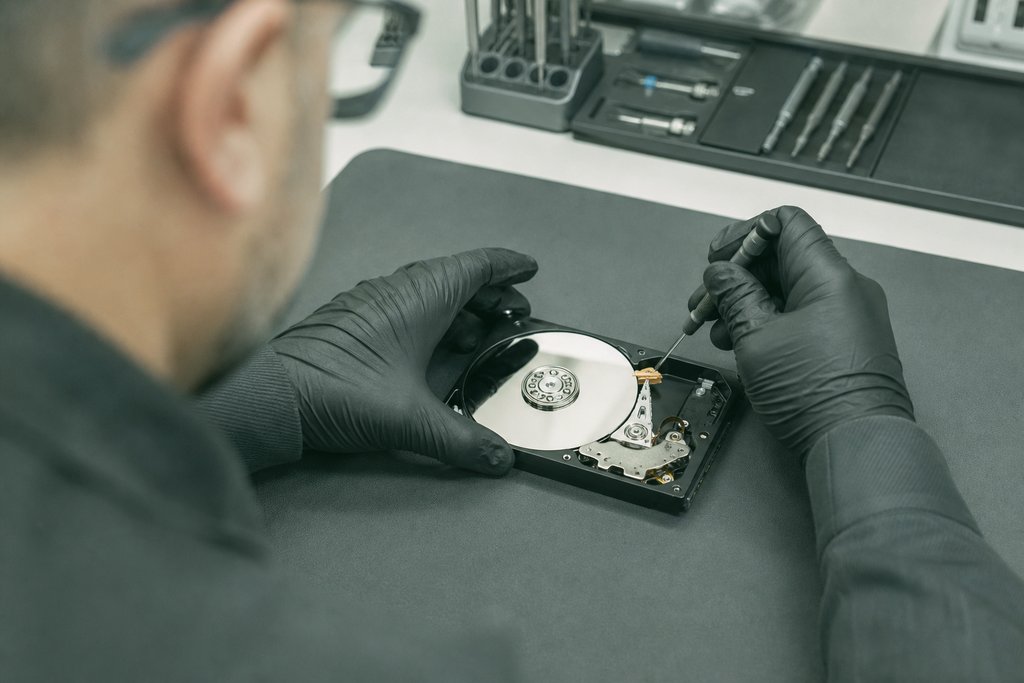
Physical recovery deals with mechanical or electronic failure. Hard drives with stuck heads or damaged platters require cleanroom disassembly.
SSDs with failed controllers need chip-level intervention. These cases demand more time but achieve strong results in professional hands.
Why DIY Software Can Make Things Worse
Consumer recovery tools assume functional hardware and minor logical damage.
Running them on physically failing drives forces repeated read attempts that accelerate degradation.
Installing software onto the same drive you are recovering risks overwriting needed files.
Professional evaluation first protects your data from harmful DIY efforts.
Industries in Durham That Rely on Professional Data Retrieval

Organizations across the Research Triangle depend on continuous data availability. Our data recovery service supports key local sectors with specific handling needs.
Healthcare practices store patient records and imaging files that must remain accessible. Legal firms maintain case files and client communications with strict confidentiality.
Manufacturing and research operations generate proprietary designs representing years of investment. Each demands technical skill and appropriate protocols.
What Small Business Owners Should Know About Recovery
You do not need enterprise infrastructure to face serious data loss.
A single failed external drive can contain your entire customer database or QuickBooks file.
Small businesses often lack formal backup discipline, making professional recovery the only path to normalcy.
Acting quickly and choosing a local provider improves your outcome.
Your Next Steps to Start Data Recovery in Durham, NC
Time directly affects recovery success, especially with physically damaged media. The sooner you stop using a failing device and engage specialists, the more complete your data retrieval outcome will be.
Call or visit our Durham facility to discuss your situation. We guide you through safe packaging if shipping, or welcome you for direct drop-off. The evaluation begins immediately, and you receive answers before committing to recovery work.
- Call (919) 263-5570 to describe your failure and schedule evaluation
- Drop off your media at our Durham facility for same-day intake
- Ship your drive with our recommended packaging guidelines
- Receive your evaluation report with recoverable file list
- Authorize recovery and track progress through completion
What RCOR clients say
★★★★★ 5.0 from 7 Google reviews
I met Tim at a trade show last year and he's an awesome guy and very passionate about his business and his clients that much I can tell you. He also gave me a tour of their office recently and it's impressive!
We have used RCOR for many years and look to them as a partner. They are reliable and provide incredible service. Responsive and solve all of our IT issues. We would not use anybody else and highly recommend them.
I have worked with Brad from RCOR primarily the past couple of years. He is fantastic!-- kind, calm and tackles the problem until it is solved. Thank you for taking care of all of our IT needs!
Very responsive Kind No complaints from Happy Client
We have been using Tim and Brad at RCOR for about a year now at our business and we have been amazed at the quality of the IT support we have received. Any time we have run into an IT issue, they are immediately responsive and if they aren't able to solve an issue over the phone, they are quick to arrive at our offices to problem-solve. The peace of mind that they provide us, knowing that any issue we encounter will be solved efficiently, is invaluable!! It's a bonus that they both are just super pleasant to work with. We love having them on our team! Thanks, Tim and Brad!!

Response promise

Google rating

Five-star reviews

Communities served
Review CISA backup guidance for practical steps to protect business information and restore data after loss or disruption.
Get Started
Ready to recover your critical files? Call (919) 263-5570 now or visit to start your evaluation and get your business back on track.
IT support built around your business

Antivirus installation
Professional antivirus installation in Durham, NC for businesses and home users. Get malware protection, software setup, and ongoing security support.

Server management
Get server management Durham NC businesses trust for uptime, security, and growth. Proactive monitoring and local support from RCOR.

Vulnerability assessment
Get a professional vulnerability assessment in Durham NC. Identify risks, meet PCI DSS requirements, and strengthen your defenses with expert threat analysis.

Computer troubleshooting
Need computer troubleshooting in Durham, NC? Local technicians diagnose slow systems, restore lost data, and get your laptop or desktop working again.
Why the Triangle Trusts RCOR
Google review
We have used RCOR for many years and look to them as a partner. They are reliable and provide incredible service. Responsive and solve all of our IT issues. We would not use anybody else and highly recommend them.
Google review
I have worked with Brad from RCOR primarily the past couple of years. He is fantastic!-- kind, calm and tackles the problem until it is solved. Thank you for taking care of all of our IT needs!
Google review
Very responsive Kind No complaints from Happy Client
Google review
Questions
Frequently Asked Questions
Hard drives fail from mechanical wear, impact damage, power surges, firmware corruption, and manufacturing defects. SSDs can fail from controller issues, NAND wear, or sudden power loss. Environmental factors like heat and vibration accelerate degradation.
RAID recovery depends on configuration and which drives failed. RAID 5 tolerates one failure; RAID 6 tolerates two. If failures exceed redundancy, reconstruction becomes complex but often possible with professional tools and cleanroom techniques.
Deleted files often remain physically present until overwritten. Recovery success depends on drive usage since deletion and whether TRIM commands on SSDs have cleared cells. Stop using the device immediately for best results.
Physical damage produces sounds, smells, or complete non-recognition. Logical damage shows as error messages or missing files while the drive still appears in listings. Professional evaluation definitively distinguishes the two.
Power down the failed device and disconnect it. Do not boot from it, run disk utilities, or install recovery software onto it. Label the drive with your contact information and note failure symptoms for our technicians.
I met Tim at a trade show last year and he's an awesome guy and very passionate about his business and his clients that much I can tell you. He also gave me a tour of their office recently and it's impressive!