
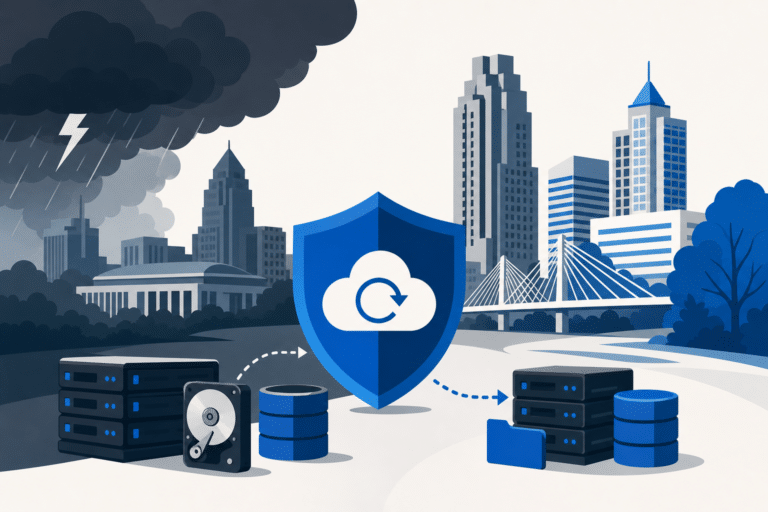
When a hurricane remnant or a Wake County thunderstorm knocks out your office for a day, the question is no longer whether your backups ran last night. It is whether you can actually restore your systems, on a clear timeline, with your last hour of work intact.
RCOR works with professional services firms, medical practices, and growing companies across Raleigh, Durham, Cary, and Chapel Hill on exactly that problem. This guide walks through what real backup and disaster recovery looks like in 2026, the numbers that decide your strategy, and a checklist you can use to audit your own readiness this week.
Key Takeaways
- RTO is how long you can be down. RPO is how much data you can lose. Both should be set per system based on business impact, not as one blanket number for the whole company.
- The 3-2-1 rule remains the baseline CISA recommends: three copies of your data, on two different media types, with at least one copy stored offsite or in the cloud.
- Hybrid backup (local appliance for speed, cloud for offsite) typically beats pure cloud or pure on-premise for Raleigh-Durham SMBs facing hurricane remnants, ice storms, and Duke Energy outages.
- A backup is a theory until it has been restored in a test. Quarterly restore drills are the single biggest predictor of whether your business actually recovers.
Why Raleigh-Durham Businesses Need a Real BDR Plan in 2026
Raleigh, Durham, Cary, and the rest of the Triangle have built a dense economy of professional services, healthcare, biotech, and SaaS companies, and every one of them runs on data that lives on servers, in the cloud, or somewhere in between. When that data is unreachable, payroll stops, patient records vanish, and client deadlines slip.
The threats are not theoretical. North Carolina sees multiple severe weather events each year, and Duke Energy regularly reports thousands of Triangle customers losing power inside a single hour when storms move through.
Ransomware adds another layer. Verizon’s 2025 Data Breach Investigations Report (2025) found that ransomware or extortion figured into 44% of the breaches investigated, and recovery without a clean backup can stretch into weeks or prove extremely difficult.
The cost of getting this wrong is well documented. Industry research has consistently found that a significant share of small businesses never reopen after a major disaster, and many more fail within a year of the event.
Raleigh-Durham BDR Readiness Checklist and RTO/RPO Benchmarks
- ✓Data: Critical systems and data inventoried and classified: Required
- ✓Data: 3-2-1 backup in place (3 copies, 2 media types, 1 offsite): Required
- ✓Data: Immutable or air-gapped cloud copy enabled: Strongly recommended
- ✓Data: Microsoft 365 or Google Workspace tenant backed up separately: Required
- ✓Infrastructure: UPS plus generator for critical racks: Required
- ✓Infrastructure: Redundant internet (primary plus failover circuit): Required
- ✓Infrastructure: Documented cloud failover path for tier-1 systems: Required
- ✓Personnel: Named incident commander with authority to declare: Required
- ✓Personnel: After-hours contact tree tested in last 90 days: Required
- ✓Personnel: Vendor, ISP, and Duke Energy escalation list current: Required
- ✓Testing: Quarterly restore drill with written results: Required
- ✓Testing: Annual full failover exercise to cloud or DR site: Recommended
- ✓RTO benchmark: Healthcare and clinical systems: 30 minutes to 2 hours
- ✓RTO benchmark: Financial services and banking: Under 1 hour
- ✓RTO benchmark: Professional services (law, accounting): 4 to 8 hours
- ✓RPO benchmark: Email and shared files: 1 to 4 hours
- ✓RPO benchmark: Transactional or financial systems: 15 minutes or less
- ✓RPO benchmark: Patient or clinical records: 5 to 15 minutes
Benchmarks compiled from industry sources including TechTarget, CISA, and other widely cited data protection guidance. Adjust targets to your own business impact analysis.
RTO and RPO Explained Without the Jargon
RTO (Recovery Time Objective) is the maximum acceptable amount of time your systems can be unavailable before the damage to revenue, clients, or compliance becomes unbearable. RPO (Recovery Point Objective) is the maximum acceptable amount of data loss, measured backward in time from the moment of the incident.
Put another way, RTO is about acceptable downtime and RPO is about acceptable data loss. Both are business decisions rather than IT decisions, and they should be agreed by leadership and revisited at least once a year.
These two numbers drive every technical choice that follows. A 15-minute RPO requires near-continuous backups or replication, while a 4-hour RTO requires standby infrastructure that can be brought up quickly rather than rebuilt from scratch.
Set them per system, not as one blanket number. Your scheduling system or accounts package probably needs a tighter RPO than your shared archive of finished documents.
The 3-2-1 Backup Strategy (and the Modern 3-2-1-1-0 Upgrade)
The 3-2-1 rule is the baseline CISA still recommends (2024): keep three copies of your data, store them on two different media types, and keep at least one copy offsite. It is intentionally simple, and that simplicity is what makes it survive real incidents.
Most ransomware variants actively scan for connected backup repositories and attempt to encrypt or delete them before triggering the main attack. A backup drive that is always mounted on the same network is just a mirror, not a backup, and it risks being encrypted right alongside production.
The modern extension is 3-2-1-1-0: add one immutable or air-gapped copy, and verify zero errors on test restores. Immutable storage, like object lock in cloud object storage, cannot be altered or deleted inside its retention window, even by an administrator account that has been compromised.
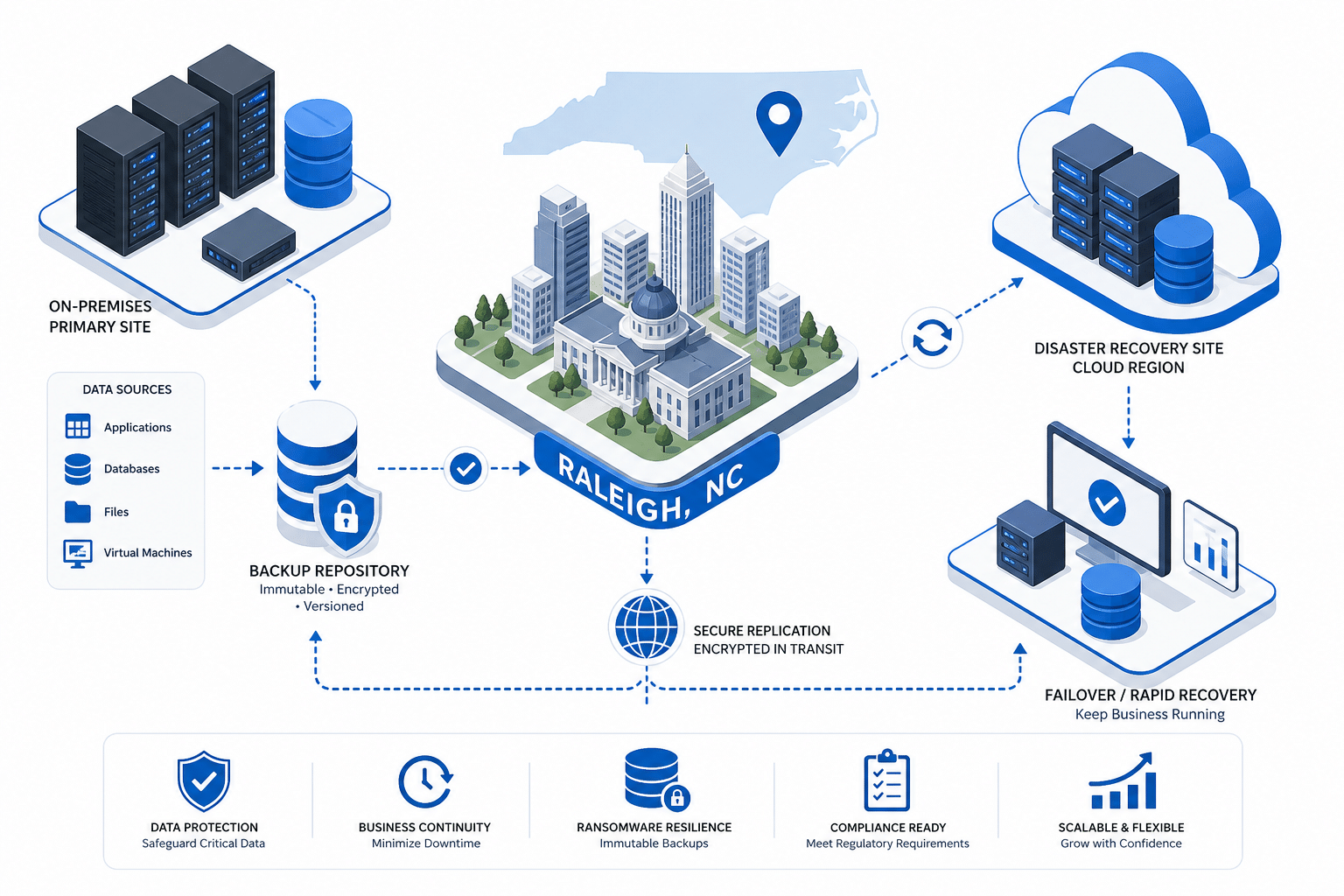
For Raleigh-Durham businesses, the practical version is usually local backup for speed, a cloud copy for offsite, and immutability turned on for the cloud copy. That covers ransomware, accidental deletion, hardware failure, and a hurricane that floods your server room.

Cloud vs On-Premise vs Hybrid: Choosing the Right Architecture
Pure on-premise backup is fast to restore from but vulnerable to anything that affects your building, from a roof leak to a long Duke Energy outage. Pure cloud backup is resilient to local disasters but slow to restore at scale, because pulling terabytes back over a business internet connection can take days.
Hybrid backup combines the two. A local appliance handles fast restores for the everyday problems, like a deleted folder or a corrupted database, while continuous replication to the cloud handles the site-level disasters.
For most Triangle small and mid-sized businesses, hybrid is the right answer. The cost premium over pure cloud is modest, and the difference in restore time during a real outage is usually measured in hours rather than minutes.
One important caveat: Microsoft 365 and Google Workspace are not backups on their own. Their built-in retention covers short windows and does not protect against compromised admin accounts or long-dwell ransomware, so a third-party backup of these tenants is part of a complete plan.
NC-Specific Risks: Hurricanes, Severe Storms, and Power Outages
The Atlantic hurricane season runs June 1 through November 30, and the City of Raleigh notes (2024) that hurricanes can affect areas more than 100 miles inland. Even when the eye stays at the coast, the Triangle routinely sees tropical-storm-force winds, flash flooding, and extended power outages from the same system.
Severe thunderstorms and straight-line winds cause most of the local outages between named events. In one recent storm front, Duke Energy reported tens of thousands of Triangle customers losing power within about an hour as a cold front moved through the area.
Winter brings its own version of the same problem. Ice storms have prompted Duke Energy to pre-stage large crews across the Carolinas, and ice on lines can keep service out for days in the harder-hit neighborhoods.
The lesson for backup design is straightforward. Assume the local office can be without power and possibly without internet for 24 to 72 hours, and design your recovery plan so the business can keep operating during that window from cloud-hosted systems and remote workstations.
Real Recovery Time Expectations by Industry
Industry benchmarks help frame the conversation, but your actual targets should come from a business impact analysis. Healthcare organizations typically run RTOs between 30 minutes and 2 hours, with RPOs measured in minutes for patient-critical systems.
Financial services and banking commonly target RTOs under 1 hour and RPOs of 15 minutes or less. E-commerce platforms often demand recovery inside 15 to 30 minutes because every minute of downtime is measurable lost revenue.
Professional services firms (law, accounting, architecture, engineering) usually land in the 4 to 8 hour RTO range, with RPOs of 1 to 4 hours for active files. That is enough margin to absorb an overnight failure without losing the day.
Smaller offices sometimes accept a same-business-day RTO and a 24-hour RPO for non-critical systems, which is reasonable as long as the systems that drive revenue and compliance are protected on tighter targets. The mistake is applying one blanket number across everything.
Building Your Disaster Recovery Checklist
A good DR plan covers four areas: data, infrastructure, personnel, and testing. The checklist in this article works as a quick audit, and the goal is honest answers rather than optimistic ones.
Data items include knowing what you store, where it lives, who owns it, and which backup copies satisfy the 3-2-1 rule. Infrastructure items cover redundant power (UPS plus generator for critical racks), a backup internet circuit, and a documented failover path for tier-one systems.
Personnel items are the ones that get skipped most often. Your plan should name an incident commander, list after-hours contacts for staff and vendors, and define who has authority to declare a disaster and trigger the failover.
Testing is where most plans fail in practice. A backup that has never been restored is a theory, and Veeam’s 2024 Data Protection Trends Report (2024) found that among organizations hit by ransomware in the previous year, only 57% of encrypted data was successfully recovered from backups.
Common Mistakes That Sink Recovery Plans
The most common failure pattern is always the same: backups run, alerts look green, and nobody has tried a restore. Six months later an incident happens and the team discovers that the last successful full backup is three months stale.
Closely related is the connected-backup mistake. A USB drive or a NAS that is always mounted to production is reachable by anything that compromises production, including ransomware, accidental deletion, and a runaway script.
Many organizations also under-protect their cloud platforms. Treating Microsoft 365 retention as a backup, or assuming Google Workspace will undelete a folder six months later, is how compliance and legal data goes missing during a litigation hold.
Finally, plans grow stale. A DR runbook written 18 months ago that still references a server which has been decommissioned and a contact number for an employee who has left can give leadership false confidence during an incident.
What to Expect From a Local Raleigh BDR Partner
A capable backup and disaster recovery partner in Raleigh-Durham should be able to tell you, on day one, what your current RTO and RPO actually are based on the systems and backups you have today. If they cannot, they are selling a product rather than an outcome.
Expect quarterly restore testing with documented results, immutable cloud storage as a standard feature rather than an upsell, and a written runbook that names people, vendors, and decision points. Ask to see a sanitized example before you sign anything.
Response expectations should also be in writing. For declared disasters, a 1-hour acknowledgment and a 4-hour engagement window are reasonable for managed service clients, with on-site presence in the Triangle the same business day when conditions allow.
The local angle matters more than it sounds. A provider that can drive a replacement firewall from Cary to your office in a matter of minutes is materially different from one that ships parts from out of state when a hurricane has already closed the airport.
Frequently Asked Questions
What is the difference between backup and disaster recovery?
Backup is a copy of your data that you can restore from. Disaster recovery is the broader plan that includes backups plus the people, processes, infrastructure, and runbooks needed to get the business operating again after an outage.
A backup without a DR plan often means you can recover the data but still take days to get systems back online.
How often should we test our backups in the Raleigh-Durham area?
Quarterly restore tests are the practical baseline for most Triangle businesses, with a full failover exercise at least once a year. After any significant change to your environment, such as a new line-of-business application or a Microsoft 365 tenant migration, you should run an additional targeted restore to confirm the new system is actually covered.
Is Microsoft 365 or Google Workspace already backed up?
Not in the sense most business owners assume. Both platforms protect against their own outages and offer short retention windows for accidental deletion, but they do not protect against compromised admin accounts, malicious internal actors, or ransomware that sits dormant for weeks before triggering.
A third-party backup of your 365 or Workspace tenant is a standard part of a complete DR plan.
How long does recovery take after a hurricane or major storm in the Triangle?
With a properly designed hybrid backup and a tested failover, your cloud-hosted systems should be back online within hours, often before grid power is restored to the office. Full on-site recovery, including replacing damaged hardware and restoring local data, is typically a 1 to 5 day process depending on hardware availability and the scope of damage.
What does a complete disaster recovery plan cost for a Raleigh small business?
Costs vary with data volume, recovery targets, and the number of locations, but most Triangle small businesses land in a per-user, per-month managed BDR range that includes a local appliance, cloud replication, monitoring, and quarterly testing. The honest comparison is not the monthly cost, it is the cost of a 3-day outage measured against the cost of preventing one.