
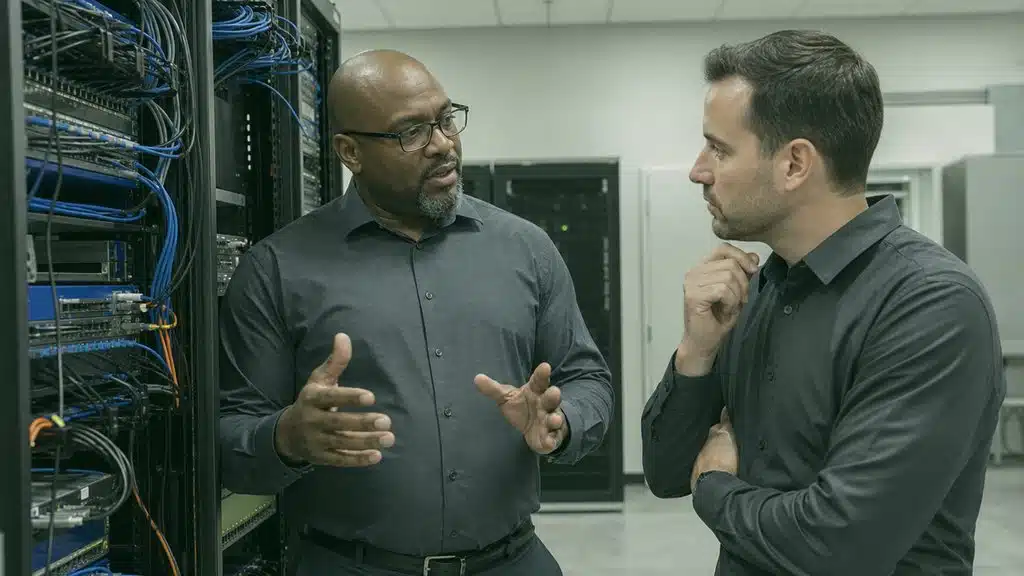
Keep Your Computer Networking Service Durham NC Running Without Disruptions That Cost You Revenue
When your network slows or fails, your entire operation feels it. Get local support that shows up, fixes the root cause, and keeps your business connected.
If you’re looking for Computer networking service Durham NC, it’s part of our Computer support and services lineup.
TL;DR: Your business in Durham depends on fast, stable network connections between devices, servers, and the cloud. A computer networking service in Durham, NC handles the design, installation, monitoring, and repair of that infrastructure so your team stays productive and your data stays secure.
Every minute your network is down, orders stall, payments freeze, and employees wait. For companies in Durham and across the Research Triangle, that risk is too high to manage alone. You need a local partner who understands your wiring, your equipment, your workflows, and the specific connectivity challenges that come with growing fast in a tech-heavy region.
This page explains what computer network support covers, why a managed services provider matters for Durham businesses, and how to evaluate whether your current setup can handle what is next. Whether you are opening a second location, moving to hybrid cloud, or simply tired of recurring slowdowns, the information here will help you make a confident decision.
What Your Business Gets from a Computer Networking Service in Durham
A computer networking service in Durham, NC is not just about plugging in cables and hoping for the best. It is a structured approach to how your devices communicate, how your data moves, and how your security perimeter holds under daily use and unexpected threats. When you work with a provider who provides managed services, you shift from reactive panic to proactive stability.
The core value is simple: your network becomes someone else's full-time responsibility. That means monitoring traffic patterns, spotting hardware degradation before it fails, patching firmware during off-hours, and answering your team's help requests without making you wait days for a callback. For businesses near Duke, in downtown Durham, or along the I-40 corridor, that responsiveness matters because your competitors are not waiting either.
Design and Installation That Matches Your Floor Plan
Your physical space dictates your network architecture. A warehouse with metal shelving needs different access point placement than a medical office with privacy requirements or a creative studio pushing large video files across internal servers. A local computer networking service evaluates your square footage, wall materials, device density, and growth plans before recommending hardware placements or cable runs.
Poor design creates dead zones, interference, and bottlenecks that no amount of bandwidth can fix. Good design anticipates where your team will add devices next quarter and builds headroom into the switch and router configuration. You should expect a site walk, a written plan, and a timeline that respects your operating hours.
- Structured cabling for new builds and office renovations
- Wireless access point placement with heat-map validation
- VLAN segmentation to separate guest, staff, and operational traffic
- Firewall selection sized to your user count and compliance needs
- Documentation of every port, patch panel, and IP assignment
Why Managed Services Provider Support Changes Your Daily Operations
Hiring a managed services provider means your network is watched even when you are focused on customers, products, or payroll. Instead of discovering problems when someone complains, you get alerts, tickets, and resolutions that often happen before users notice anything wrong. That shift from break-fix to continuous care is the defining difference between surviving and scaling.
For Durham businesses, this model is especially practical. The region's mix of startups, research spinoffs, established manufacturers, and professional services creates diverse IT environments. A provider who serves multiple industries locally has seen the edge cases: the ERP that chokes during month-end, the VoIP system that degrades when backups run, the guest WiFi that accidentally exposes internal shares. That experience protects you from learning those lessons the hard way.
What Continuous Monitoring Actually Looks Like
When your provider monitors your network, they are tracking more than whether the internet is up. They watch switch port utilization, firewall CPU load, wireless channel congestion, DNS query anomalies, and endpoint behavior that might signal malware. They maintain update schedules so your firmware does not lag behind known vulnerability patches.
You receive reports that translate technical metrics into business terms: uptime percentages, ticket resolution categories, bandwidth growth trends, and recommended capacity upgrades. Those reports help you budget and plan instead of guessing whether your infrastructure can support next year's headcount.
- 24/7 network monitoring with human escalation paths
- Automated patch management for routers, switches, and firewalls
- Performance baselines that flag degradation before failure
- Monthly business reviews with trend analysis and recommendations
- Help desk access for your staff's day-to-day connectivity issues
Why Choose RCOR
- Structured cabling for new builds and office renovations
- Wireless access point placement with heat-map validation
- VLAN segmentation to separate guest, staff, and operational traffic

- Firewall selection sized to your user count and compliance needs
- Documentation of every port, patch panel, and IP assignment
- 24/7 network monitoring with human escalation paths
How Computer Network Support Protects Your Revenue
Computer network support is the operational layer that keeps your applications, communications, and data transfers reliable. It is not a single tool or a one-time project. It is the ongoing work of maintaining, tuning, and defending the pathways your business depends on every hour.
Consider what happens when your network underperforms. Cloud-based accounting software times out. Video calls drop during client presentations. File sync conflicts corrupt shared documents. Payment terminals lose connection during peak hours. Each incident erodes trust, wastes labor, and sometimes costs direct revenue. Consistent computer network support prevents those scenarios by treating performance and security as habits, not events.
Common Threats Your Support Should Address
Durham businesses face the same threat landscape as larger cities, often with fewer dedicated security staff. Ransomware spreads through unpatched edge devices. Phishing campaigns target employees with local area codes and believable sender names. Insider risks emerge when departing staff retain VPN access because offboarding checklists omit network credentials.
Your computer network support should include hardening measures: multi-factor authentication on remote access, network segmentation that limits lateral movement, logging that preserves evidence for incident response, and regular testing of backup restoration through your network paths. These are not optional extras. They are baseline protections that keep small and mid-sized businesses from becoming statistics.

Your business is protected at every layer, not just the front door.
Ransomware defense through patch discipline
Ransomware defense through patch discipline and segmentation
Secure remote access
Secure remote access with MFA and session logging
Guest network isolation from production systems
Guest network isolation from production systems
Regular backup verification over your actual
Regular backup verification over your actual network paths
Every stage laid out, so you always know what comes next.
Ransomware defense through patch discipline
Ransomware defense through patch discipline and segmentation
Secure remote access
Secure remote access with MFA and session logging
Guest network isolation from production systems
Guest network isolation from production systems
Regular backup verification over your actual
Regular backup verification over your actual network paths
Employee awareness training tied to real
Employee awareness training tied to real local threat examples
Signs Your Current Network Services Are Holding You Back
Many Durham businesses outgrow their original network setup without realizing it. The symptoms show up gradually: a few more seconds to load cloud apps, occasional wireless drops in the conference room, complaints from remote workers about VPN speed. These friction points accumulate into measurable productivity loss.
If your network services were designed for a smaller team or lighter cloud dependency, they may be creating invisible ceilings. Your ISP bandwidth might be adequate, but your internal switching could be saturating. Your wireless might be old enough to lack modern density handling. Your firewall might be inspecting traffic with a processor that chokes under encrypted volume. A fresh assessment often reveals that the bottleneck is not your internet connection but the infrastructure distributing it.
Questions to Ask About Your Existing Setup
Before engaging any provider, audit your current state. How old is your core switching hardware? When did someone last review your firewall rules for obsolete exceptions? Do you have separate networks for payment processing, guest access, and operational devices? Is your cabling labeled and mapped, or does every change require trial and error?
Honest answers to these questions reveal whether you are maintaining or merely coping. Coping looks like workarounds: extra access points bought retail and daisy-chained, consumer-grade routers handling business traffic, staff using personal hotspots because the office wireless is unreliable. Those workarounds cost money, create security gaps, and signal that your network services need professional attention.
- Age of core routers, switches, and wireless controllers
- Documentation quality: can a new technician understand your layout in an hour?
- Capacity headroom: are any links consistently above 70% utilization?
- Security posture: when were firewall firmware and rules last reviewed?
- Support experience: how long does IT take to get human help today?

Choosing Network Services That Scale with Your Durham Location
Durham's business environment rewards agility. A lab space becomes a pilot production floor. A shared office spawns a dedicated headquarters. A regional service area expands to Raleigh, Chapel Hill, or Greensboro. Your network services must adapt without requiring complete replacement each time your footprint changes.
Scalable network services start with modular design. Switches that stack. Wireless controllers that manage additional access points without configuration rework. Firewalls licensed by feature rather than hard-coded to user counts. Cloud-managed tools that let your provider push policy changes to multiple sites from one dashboard. When your growth is organic, your infrastructure should absorb it smoothly.
Local Presence Matters for Complex Changes
Remote support handles many issues, but physical changes require boots on the ground. Running cable through a historic Durham building with plaster walls and asbestos concerns demands local knowledge of contractors and permitting. Installing a new server rack in a climate-controlled closet requires measuring power, cooling, and seismic bracing to code.
A provider with technicians based in the Triangle can respond to these needs without travel delays or unfamiliarity with regional construction practices. They have relationships with local ISP account teams for faster circuit provisioning. They understand which Durham neighborhoods have fiber availability and which still rely on coaxial or fixed wireless. That context saves weeks on new site turn-ups.
- Modular switching and wireless for organic growth
- Cloud-managed platforms for multi-site policy consistency
- Local technicians for physical installation and emergency response
- ISP liaison experience for circuit ordering and troubleshooting
- Documentation practices that transfer cleanly to new locations

What to Expect During Your First Network Assessment
A thorough network assessment is the foundation of any productive relationship with a computer networking service. It should not be a rushed sales walkthrough. It should be a structured discovery process that produces actionable findings, prioritized by risk and business impact.
Expect the assessor to ask about your applications, your peak usage times, your compliance obligations, and your growth timeline. They should inspect your physical infrastructure, test wireless coverage with professional tools, review configuration exports from your routers and firewalls, and interview your staff about recurring pain points. The output should be a written report with specific recommendations, not a generic template with your company name inserted.
Red Flags in Assessment Practices
Be wary of assessments that skip the physical layer, ignore your cloud connectivity paths, or refuse to document their findings in writing. Be cautious if the assessor leads with hardware replacement before understanding your actual bottlenecks. A quality provider diagnoses before prescribing.
Also watch for assessments that treat security as an afterthought. Your firewall configuration, remote access methods, and endpoint network behavior should be reviewed with the same rigor as your bandwidth and latency. Durham's research and healthcare-adjacent businesses especially need assessors who understand that data protection is not a separate conversation from performance optimization.
- Physical infrastructure inspection with photo documentation
- Wireless heat mapping and interference analysis
- Configuration review of routers, switches, and firewalls
- Application traffic flow mapping to identify bottlenecks
- Written report with prioritized, risk-ranked recommendations

Industries like yours
Chances are you'll spot your line of work right here.
- Dental
- Engineering
- Financial
- Legal
- Healthcare
- Veterinary
Serving Raleigh, NC and nearby
Find your town on the list below.
- Raleigh, NC
- Durham, NC
- Chapel Hill, NC
- Wake Forest, NC
- Cary, NC
- Apex, NC
- Morrisville, NC
- Hillsborough, NC
- Garner, NC
- Knightdale, NC
Explore these services
Jump straight to any service on this page.
See the Network setup page for what's included, typical timelines, and the questions we hear most.
For Network security, the dedicated page covers scope, common questions, and turnaround.
The Network cabling page walks through scope, pricing factors, and how to get started.
For VPN setup, the dedicated page covers scope, common questions, and turnaround.
Review NC small business cybersecurity tips to strengthen Wi-Fi, passwords, firewalls, backups, and connected devices.
Frequently Asked Questions
A computer networking service in Durham, NC covers the design, installation, monitoring, and maintenance of your business infrastructure. That includes structured cabling, wireless networks, firewalls, switches, routers, and ongoing support to keep everything secure and performant. Many providers also offer managed services that include patch management, help desk access, and strategic planning.
A managed services provider operates on a continuous care model. They monitor your network proactively, maintain your systems on a schedule, and resolve issues before they disrupt your operations. A break-fix company only responds after something fails. The managed approach reduces downtime, improves security posture, and gives you predictable support access.
Look for local presence, documented processes, scalable hardware choices, and security expertise relevant to your industry. Your provider should understand Durham’s connectivity landscape, respond physically when needed, and design networks that accommodate headcount growth without complete replacement. Ask for references from similar-sized businesses in the Triangle.
Yes. Modern network services include secure remote access through VPN or zero-trust architectures, cloud application optimization, and endpoint management for devices outside the office firewall. Your provider should ensure that remote workers experience the same reliability and security as on-site staff, with policies that adapt to changing work patterns.
Signs include frequent wireless drops, slow cloud application performance, inability to add devices without degradation, unsupported hardware that no longer receives firmware updates, and security configurations that predate current threat standards. A professional assessment will benchmark your infrastructure against modern requirements and your actual business needs.
What RCOR clients say
★★★★★ 5.0 from 7 Google reviews
I met Tim at a trade show last year and he's an awesome guy and very passionate about his business and his clients that much I can tell you. He also gave me a tour of their office recently and it's impressive!
We have used RCOR for many years and look to them as a partner. They are reliable and provide incredible service. Responsive and solve all of our IT issues. We would not use anybody else and highly recommend them.
I have worked with Brad from RCOR primarily the past couple of years. He is fantastic!-- kind, calm and tackles the problem until it is solved. Thank you for taking care of all of our IT needs!
Very responsive Kind No complaints from Happy Client
We have been using Tim and Brad at RCOR for about a year now at our business and we have been amazed at the quality of the IT support we have received. Any time we have run into an IT issue, they are immediately responsive and if they aren't able to solve an issue over the phone, they are quick to arrive at our offices to problem-solve. The peace of mind that they provide us, knowing that any issue we encounter will be solved efficiently, is invaluable!! It's a bonus that they both are just super pleasant to work with. We love having them on our team! Thanks, Tim and Brad!!
Get Started
Your network should be a platform for growth, not a source of daily frustration. Call (919) 263-5570 or visit to schedule a network assessment and learn how local support keeps your Durham business connected and protected.
