

Small and mid-size businesses in Durham, NC rely on Microsoft 365 for email, file sharing, video calls, and the apps that run daily operations. Getting real value from the platform takes more than buying licenses and hoping for the best.
RCOR has helped Raleigh-Durham businesses deploy and manage Microsoft 365 since the suite first launched. This checklist covers what Durham companies should verify before, during, and after an Office 365 consulting engagement so the investment pays off in productivity, security, and predictable costs.
Key Takeaways
- Every Durham business should audit existing licenses, data locations, and compliance requirements before migrating to Microsoft 365.
- Proper tenant configuration with security defaults, conditional access, and multi-factor authentication closes the most common attack vectors from day one.
- Teams adoption fails without governance: naming conventions, retention policies, and guest-access rules keep collaboration from turning into chaos.
- Ongoing administration, user lifecycle management, and license optimization prevent the slow cost creep that hits half of unmanaged Microsoft 365 tenants.
Why Durham Businesses Need Structured Office 365 Consulting
Microsoft 365 is the default productivity platform for businesses with 10 to 250 employees, but license waste, misconfigured security, and unused features are common. A structured consulting engagement turns a subscription into a tailored business system.
Durham’s economy spans research, health care, professional services, and a growing startup base. Each sector has different compliance pressures, collaboration patterns, and third-party integrations that affect how Microsoft 365 should be set up.
Office 365 Consulting Checklist for Durham Businesses
- ✓Audit existing licenses and map to actual user needs: Complete before migration begins
- ✓Document compliance requirements (HIPAA, ITAR, SEC, etc.): Complete before migration begins
- ✓Enable MFA for all admin accounts first, then all users: Complete during tenant setup
- ✓Configure conditional access and block legacy authentication: Complete during tenant setup
- ✓Establish Teams naming conventions and team expiration policies: Complete within 30 days of rollout
- ✓Set guest access rules by team classification level: Complete within 30 days of rollout
- ✓Integrate Teams file storage with SharePoint permission model: Complete during initial configuration
- ✓Conduct quarterly license audit for tier optimization: Recurring every 90 days
- ✓Review and remove unnecessary add-on subscriptions: Recurring every 90 days
- ✓Automate user offboarding to reclaim licenses promptly: Implement within first 60 days
- ✓Verify backup coverage for Exchange, SharePoint, and OneDrive: Complete before go-live
- ✓Schedule end-user training for Teams and security awareness: Complete within first 30 days
Use this checklist at the start of an Office 365 consulting engagement and revisit quarterly for ongoing optimization.
Pre-Migration Planning for Microsoft 365 Deployments
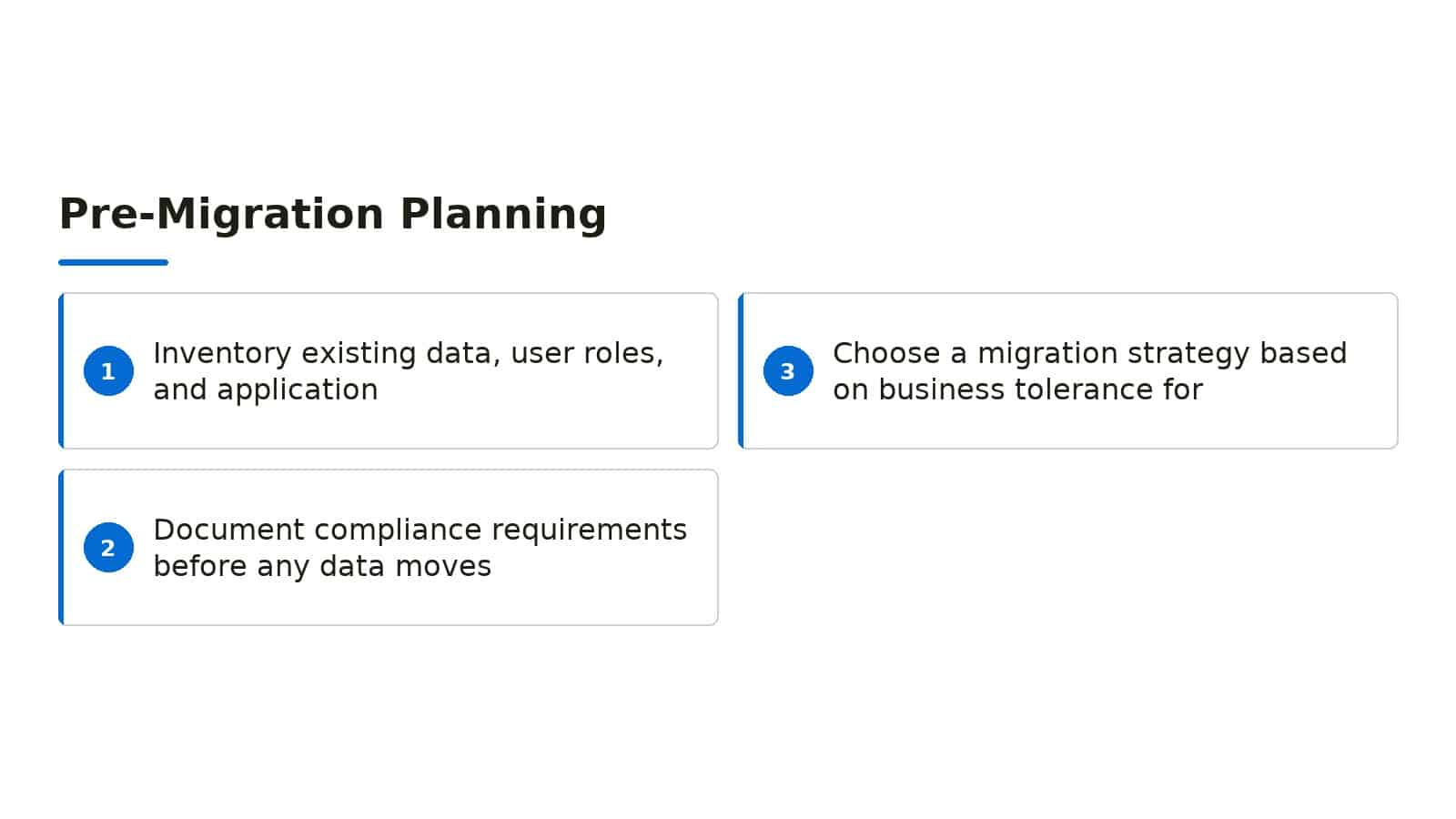
Start with a full inventory of existing data, user roles, and application dependencies. Email archives, shared drives, line-of-business applications, and mobile device fleets all affect migration scope and timeline.
Document compliance requirements before any data moves. Health care providers need HIPAA-aligned configurations, research firms may need ITAR or export-control considerations, and financial services face SEC record-keeping rules.
Choose a migration strategy based on business tolerance for downtime. Cutover migrations work for smaller firms, staged or hybrid approaches suit larger organizations that cannot afford a full email blackout.
Security and Identity Configuration Essentials
Enable multi-factor authentication for every administrator account first, then roll it out to all users. This single step blocks the vast majority of credential-based attacks against cloud tenants.
Configure conditional access policies that enforce MFA for off-network sign-ins, block legacy authentication protocols, and require compliant or hybrid-joined devices for sensitive data access.
Set up privileged identity management for administrative roles. Just-in-time access reduces the window of exposure if an admin credential is compromised, and audit logs show who elevated access and when.
Teams and Collaboration Governance
Microsoft Teams becomes the hub for chat, meetings, file sharing, and app integration, but unchecked growth creates sprawl. Establish naming conventions, expiration policies for inactive teams, and approval workflows for new team creation.
Define guest access rules before external collaboration begins. A clear policy on which teams allow guests, what domains are permitted, and what data classification levels apply prevents accidental oversharing.
Integrate Teams with SharePoint and OneDrive so file storage follows consistent permission models. Users should not have to guess whether a document lives in a Teams channel, a SharePoint library, or a personal OneDrive folder.

License Optimization and Cost Control
Microsoft 365 offers more than a dozen license tiers with overlapping features. Regular license audits identify users on expensive plans who only need basic email, or users on basic plans who need advanced security or analytics tools.
Review add-on subscriptions quarterly. Audio conferencing, advanced threat protection, and Power BI Pro licenses often accumulate through project-based purchases that outlive their original need.
Automate user lifecycle management so departing employees lose access promptly and licenses return to the pool. Manual offboarding delays create both security risk and unnecessary monthly charges.

How RCOR Supports Durham Businesses with Microsoft 365
RCOR delivers Microsoft 365 services to businesses in Durham, NC and across the Research Triangle. Our engineers handle tenant setup, migration planning, security hardening, and ongoing administration so internal teams stay focused on core work.
We also deploy and manage Microsoft Teams for Raleigh and Durham businesses, including end-to-end deployment, integration with Microsoft 365 and SharePoint, custom channel and access setup, security and compliance policies, and ongoing support and training.
RCOR offers two flat-rate plans for managed IT services: one with unlimited remote support plus eight hours of on-site service per month, and a traditional all-inclusive plan. Both options give Durham businesses predictable costs without surprise project fees.
If we miss that window, the related work is free. That commitment applies to Microsoft 365 issues, network problems, and any other service under our management.
Data Migration Integrity and Post-Go-Live Validation
Moving files and mailboxes into Microsoft 365 is only half the battle; what happens after cutover determines whether Durham teams actually trust the platform. RCOR builds validation checkpoints into every migration wave so nothing vanishes into orphaned folders or broken permissions.
We verify file timestamps, sharing links, and version histories before declaring a migration complete. This prevents the panic of discovering missing contract drafts three weeks after go-live.
Email archive fidelity matters just as much. Our consultants compare source and destination mailbox item counts, then spot-check calendar permissions and distribution list memberships that often break during transit.
One Durham manufacturing client discovered that their legacy public folders had become invisible to mobile devices until we restructured the content into modern SharePoint libraries with synced offline access.
Post-migration, we run a thirty-day monitoring window where support tickets related to data access get escalated directly to the migration engineer who handled that workload. This accountability loop catches edge cases fast.
We also document every security group and custom permission applied during migration. When that client hires new staff six months later, their IT team knows exactly how access was granted and can replicate it consistently.
Custom Power Platform and Automation Opportunities
Many Durham businesses underuse the Power Platform licenses already bundled into their Microsoft 365 subscriptions. RCOR identifies automation candidates during our discovery process, then prototypes solutions that replace paper workflows or spreadsheet chaos.
A local nonprofit tracked volunteer hours across seventeen disconnected Excel files. We built a Power Apps canvas app with SharePoint backend in two weeks, eliminating duplicate entry and giving leadership real-time visibility into program capacity.
Power Automate flows can route invoice approvals, trigger compliance reminders, or synchronize data between Microsoft 365 and line-of-business systems. Our consultants map these integrations without writing fragile custom code that breaks during platform updates.
We train designated citizen developers within your organization to maintain and extend these solutions. This knowledge transfer prevents the consultant-dependency trap that leaves tools abandoned when external support ends.
Governance matters here too. RCOR establishes environment strategies, DLP policies for connectors, and data loss prevention rules so automation enthusiasm does not outpace security discipline.
Every Power Platform engagement includes a business case document showing hours saved versus implementation cost. Durham finance directors appreciate this concrete justification for expanding Microsoft 365 adoption beyond basic productivity tools.

Compliance and eDiscovery Readiness for Regulated Industries
Durham’s research, healthcare, and financial services firms face retention and discovery obligations that out-of-the-box Microsoft 365 rarely satisfies without deliberate configuration. RCOR translates regulatory language into technical settings that pass audit scrutiny.
We configure retention labels with event-based triggers, legal hold workflows, and immutable storage where required. These controls protect against both accidental deletion and deliberate data destruction by departing employees.
eDiscovery cases demand predictable search scope and defensible collection methods. Our consultants build search indexes, validate custodian lists, and test export formats before any actual litigation arises.
This rehearsal prevents frantic missteps when subpoenas land.
Insider risk policies in Microsoft Purview can flag unusual data access patterns without creating surveillance cultures. We tune sensitivity thresholds with HR and legal input so alerts indicate genuine threats rather than normal workflow variations.
Cross-border data residency questions surface regularly for Durham companies with international parent organizations or grant-funding requirements. RCOR documents where Microsoft 365 stores specific workload data and implements tenant-level geo-restrictions when contracts demand them.
Annual compliance reviews keep configurations aligned as regulations evolve and as your Microsoft 365 tenant accumulates new workloads. We schedule these proactively rather than waiting for audit findings to reveal gaps.
Frequently Asked Questions
What does Office 365 consulting typically include for a Durham business?
A full engagement covers pre-migration planning, tenant security configuration, user onboarding, Teams governance setup, and ongoing license management. The scope scales to your user count, compliance needs, and existing infrastructure.
How long does a Microsoft 365 migration usually take?
A simple cutover migration for 25 users might finish over a weekend. Larger organizations with complex mail archives, multiple integrations, or hybrid requirements should plan for several weeks of phased work.
Can RCOR help with Microsoft Teams setup and training?
Yes. RCOR deploys and configures Microsoft Teams for Durham and Raleigh businesses, including channel structure, SharePoint integration, guest-access policies, and end-user training to drive adoption.
What flat-rate plans does RCOR offer for managed Microsoft 365 support?
RCOR provides two flat-rate plans: unlimited remote support with eight hours of on-site service monthly, or a traditional all-inclusive plan. Both eliminate per-ticket billing and make IT costs predictable.
How quickly does RCOR respond to Microsoft 365 support requests?
If we do not respond within that window, the work on that issue is free.
How does RCOR handle Microsoft 365 compliance requirements for Durham healthcare and research organizations?
RCOR configures Microsoft Purview retention labels, legal hold workflows, and insider risk policies tailored to HIPAA, FDA 21 CFR Part 11, and grant-funding data residency requirements. We conduct pre-litigation eDiscovery rehearsals, validate search scopes with legal teams, and schedule annual compliance reviews to catch configuration drift before auditors do.
Every implementation includes documentation that maps technical controls to specific regulatory obligations for defensible audit trails.

About the author
Tim Richter - Co-Founder / President
Tim Richter is Co-Founder and President of RCOR, a managed IT and cybersecurity firm that has been serving businesses across Raleigh and Durham since 1992. He brings more than 35 years in the IT industry and today leads a team providing enterprise-class network support to small and mid-sized organizations throughout the Research Triangle.